Key takeaways
- Every pocket has one job, and together your pockets account for the money you have.
- Bills and Needs are what you protect; Wants are where you have room to adjust.
- What's left is allocated minus spent, and refunds come off the spending.
- When a pocket runs over, Reshuffle from another pocket; it changes the plan, not your bank.
Every budget needs a unit: the thing you plan in, spend from and check on. In Aurelo, that unit is the pocket. This guide explains what pockets are, the kinds Aurelo offers, and how to keep them working through a real month.
What a pocket is
A pocket is a named amount of money with one job: “Rent”, “Groceries”, “Gas”, “Dinners out”. Your whole budget is a set of pockets. When you spend, the transaction comes out of the pocket it belongs to, and the pocket shows what’s left.
Pockets are how you plan every dollar: each one has a purpose, and together they account for the money you have. If you want the thinking behind planning this way, Zero-Based Budgeting, Explained Simply covers it.
Bills, Needs and Wants
Aurelo groups pockets into three sections:
| Group | What goes here | Examples |
|---|---|---|
| Bills | Fixed, recurring amounts due on a date | Rent, phone, insurance, internet |
| Needs | Essentials whose amount varies | Groceries, gas, household supplies |
| Wants | Everything you choose, not have to, spend on | Eating out, hobbies, shopping |
The grouping matters most when money is tight. Bills and Needs are what you protect; Wants are where you have room to adjust. If you connected your bank during setup, Aurelo suggested pockets in each group from six months of your real spending. You can rename, resize, add or remove any of them.
What “left” means
Each pocket shows what’s left: the amount allocated to it, minus what you’ve spent from it.
An example: your Groceries pocket has $500 allocated this month. You’ve spent $340, then returned a $40 item. The refund is subtracted from spending, so spent is $300 and the pocket shows $200 left.
That’s why a refund doesn’t show up as income in the pocket. It simply undoes part of the spending, which is what it really is.
Special pocket types
Most pockets are plain spending pockets. A few types do something extra.
Annual Pockets
Some bills arrive once a year: car insurance, a membership, a credit card’s annual fee. An Annual Pocket sets aside a bit each month so the full amount is ready when the bill lands.
For example, a $600 yearly insurance premium becomes $50 a month. Twelve months later, the money is there and the month the bill arrives looks like any other. Sinking Funds: Stop Yearly Bills From Wrecking Your Month explains the method in detail.
Debt pockets
A debt pocket tracks a loan you’re paying down. Aurelo can spot a loan in your transactions and ask whether you’d like to track it. It never creates a debt pocket without asking.
The Subscriptions pocket
Aurelo finds recurring subscription charges and groups them in a Subscriptions pocket, so you can see them in one place. It shows them neutrally. It never tells you to cancel anything and can’t cancel for you; what stays is your call. For a manual way to find every one, see How to Find Every Subscription You’re Paying For.
In Aurelo: On Free you can make 2 Annual Pockets and 1 debt pocket by hand. Gold makes both unlimited. Every other pocket type, and the automatic sorting of transactions into pockets, is available on every plan.
Filling pockets
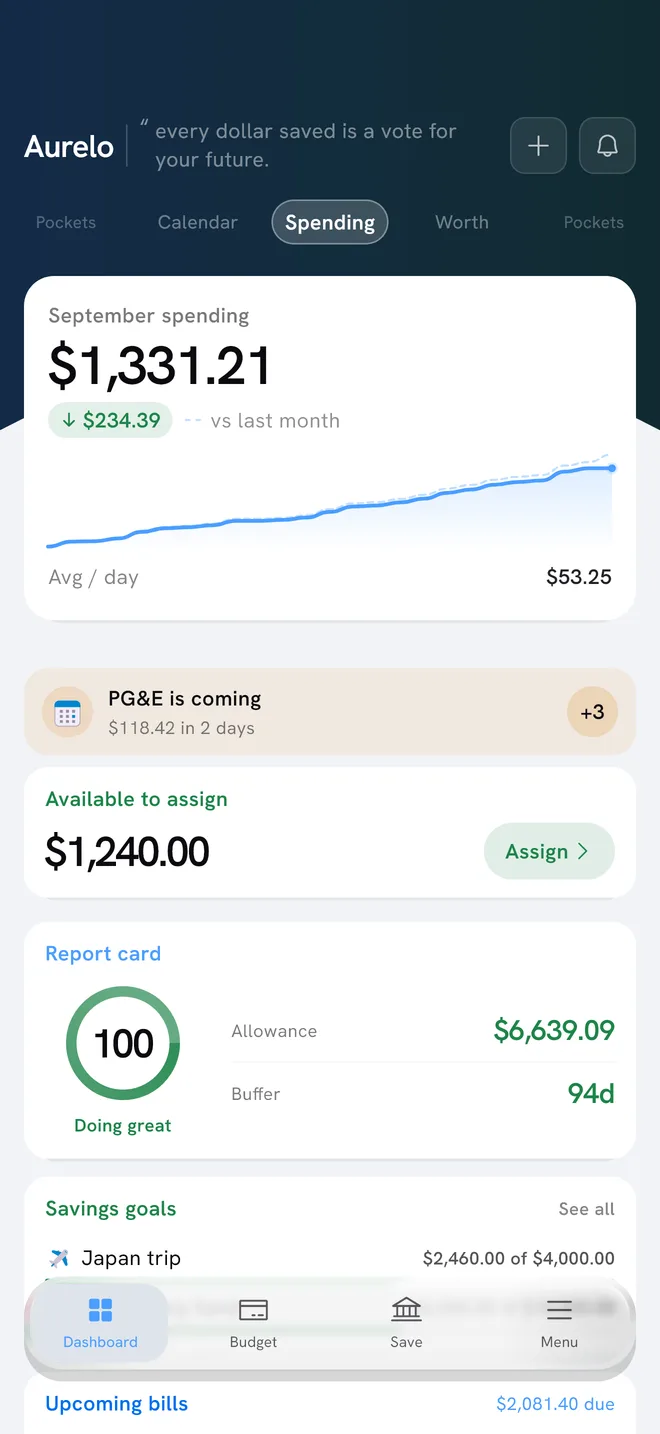
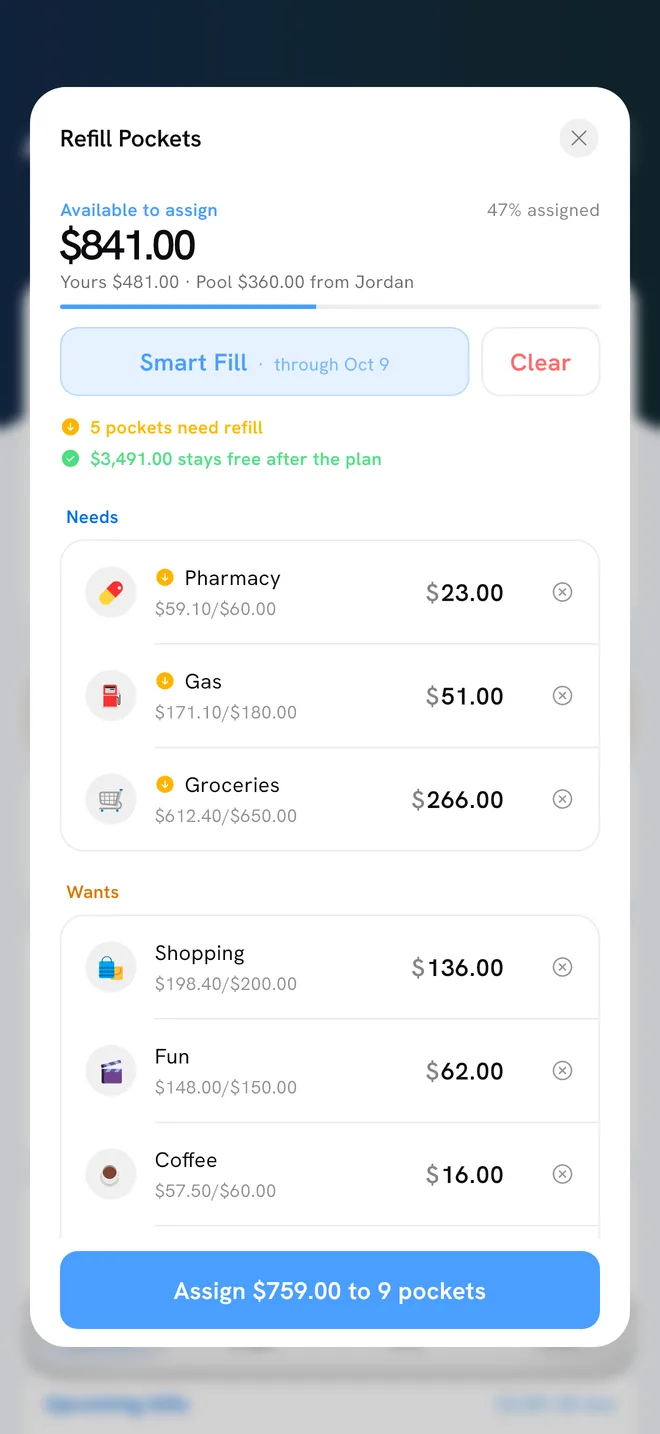
Money you have that isn’t in a pocket yet appears as Available to assign on the Budget tab. From that card, Refill Pockets lets you top pockets up.
Smart Fill proposes amounts through your next payday, covering the bills due before then first. You approve it or change any figure. It’s a proposal, not an autopilot.
Moving money between pockets: Reshuffle
Pockets will run over. A friend’s birthday dinner, a pricier week at the store. When it happens, Reshuffle moves money from another pocket to cover it. Nothing moves in your bank; Reshuffle changes your plan, not your accounts.
An example: Dinners out is $30 over. Your Clothing pocket has $90 left and nothing planned this month. Reshuffle $30 from Clothing to Dinners out, and both pockets are back within plan. Nothing is hidden; you’ve just made a trade-off explicit.
Reshuffling isn’t failure. A plan that bends is one you’ll keep using.
In Aurelo: If Today’s Allowance goes negative, it turns red and offers a Reshuffle right there, so you can fix the plan in the moment instead of later.
Credit card purchases and pockets
When you buy something on a credit card, the money comes out of the right pocket, just like a debit purchase, and is set aside to pay that card. That way the payment is already covered when it’s due. Paying the card shows as a transfer, not new spending, so nothing is counted twice. Aurelo calls this Card Cover.
Aurelo learns your sorting
Aurelo sorts transactions into pockets automatically, on every plan. Sometimes you’ll disagree: maybe the corner store is groceries for you, not dining. Move the transaction to the right pocket.
When you move the same merchant to the same pocket consistently, Aurelo asks “Remember this?” Say yes and it files that merchant the same way next time. It never changes your rules silently, and it only learns from the choices you make.
A few habits that keep pockets useful
- Keep pockets few enough to remember. If you can’t recall what a pocket is for, merge it.
- Name them the way you think. “Kids’ activities” beats a generic label.
- Adjust at month end. The Monthly recap shows how each pocket did. If one runs over every month, the amount is wrong, not you.
- Give yearly bills an Annual Pocket before they arrive, not the month they do.
Setting up for the first time? Start with Getting Started With Aurelo.
Common questions
What is a pocket in a budgeting app?
A pocket is money set aside for one purpose, like rent, groceries or eating out. In Aurelo your whole budget is a set of pockets, and each one shows how much of its plan is still unspent.
How does Aurelo calculate what's left in a pocket?
It's the amount you put in the pocket minus what you've spent from it. If a purchase is refunded, the refund comes off the spending, so the money shows up as available again.
What happens when a pocket goes over budget in Aurelo?
Use Reshuffle to move money from another pocket that has some to spare. The overall plan stays honest, and you decide where the money comes from.
Can Aurelo remember which pocket a store belongs in?
Yes. When you consistently move a merchant's transactions to a different pocket, Aurelo asks 'Remember this?' and, if you agree, files that merchant the same way next time. It never changes your sorting without asking.
Written by the Aurelo team. We build Aurelo, a budgeting app that reads your accounts read-only and never moves your money. Every claim about the app is checked against the app itself. This is general education, not financial, tax or legal advice.