Key takeaways
- Every bill belongs on one list with its amount, due date, how it's paid and where it comes from.
- A bill calendar shows the tight weeks that a list alone hides.
- Autopay prevents forgotten payments, but only works if the money is there on the day.
- Many companies will move a due date if you ask, so bills can land right after payday.
Most missed bills aren’t about not having the money. They’re about not knowing, on the right day, that a bill was coming. A due date buried in an email, an annual renewal you forgot, a card payment that moved when you changed banks. Each one is small, and each one can cost a late fee, an overdraft or a dent in your credit.
The fix is less about discipline and more about structure. This guide walks through four pieces: a single bill list, a bill calendar, a clear decision on what to automate, and due dates that line up with when you get paid. You can set the first two up tonight with nothing more than a notes app or a sheet of paper.
This is general education, not financial advice.
Why it’s worth the half hour
Late payments are expensive in aggregate. In a 2023 report, the Consumer Financial Protection Bureau found that credit card companies charged consumers $14.5 billion in late fees in 2022, up from $11.3 billion the year before.1 That’s one kind of bill from one kind of company. Utilities, phone plans, insurance and loans can add late fees of their own.
A late fee also rarely arrives alone. A missed payment can mean interest, a lost promotional rate, a service interruption, or a mark on your credit report if it goes unpaid long enough. Organizing your bills is one of the few money habits where a small amount of setup protects you month after month.
Step 1: Make one bill list
Start by getting every bill in one place. Go through the last two or three months of bank and card statements, plus your email, and write down anything that repeats. For each bill, record:
- Name (the company, as it appears on your statement)
- Amount (or a typical range, if it varies)
- Due date
- How often (monthly, quarterly, yearly)
- How it’s paid (autopay, manual, which card or account)
- Where the money comes from (checking, a specific card)
Here’s an example of what a finished list might look like:
| Bill (example) | Amount | Due | Frequency | Paid by |
|---|---|---|---|---|
| Rent | $1,650 | 1st | Monthly | Manual, checking |
| Car loan | $340 | 8th | Monthly | Autopay, checking |
| Electricity | $90–$160 | 14th | Monthly | Autopay, checking |
| Phone | $75 | 18th | Monthly | Autopay, card |
| Internet | $60 | 22nd | Monthly | Autopay, card |
| Credit card | Statement balance | 25th | Monthly | Manual, checking |
| Car insurance | $720 | March 3 | Yearly | Manual, checking |
Two things usually surprise people at this stage. First, the yearly and quarterly bills: insurance, memberships, registrations, a card’s annual fee. They’re easy to forget because they only show up once. Give them their own line and consider setting a little aside each month, the way sinking funds work. Second, subscriptions. Small recurring charges on a card add up, and some you may not remember signing up for. Finding every subscription is a good companion task.
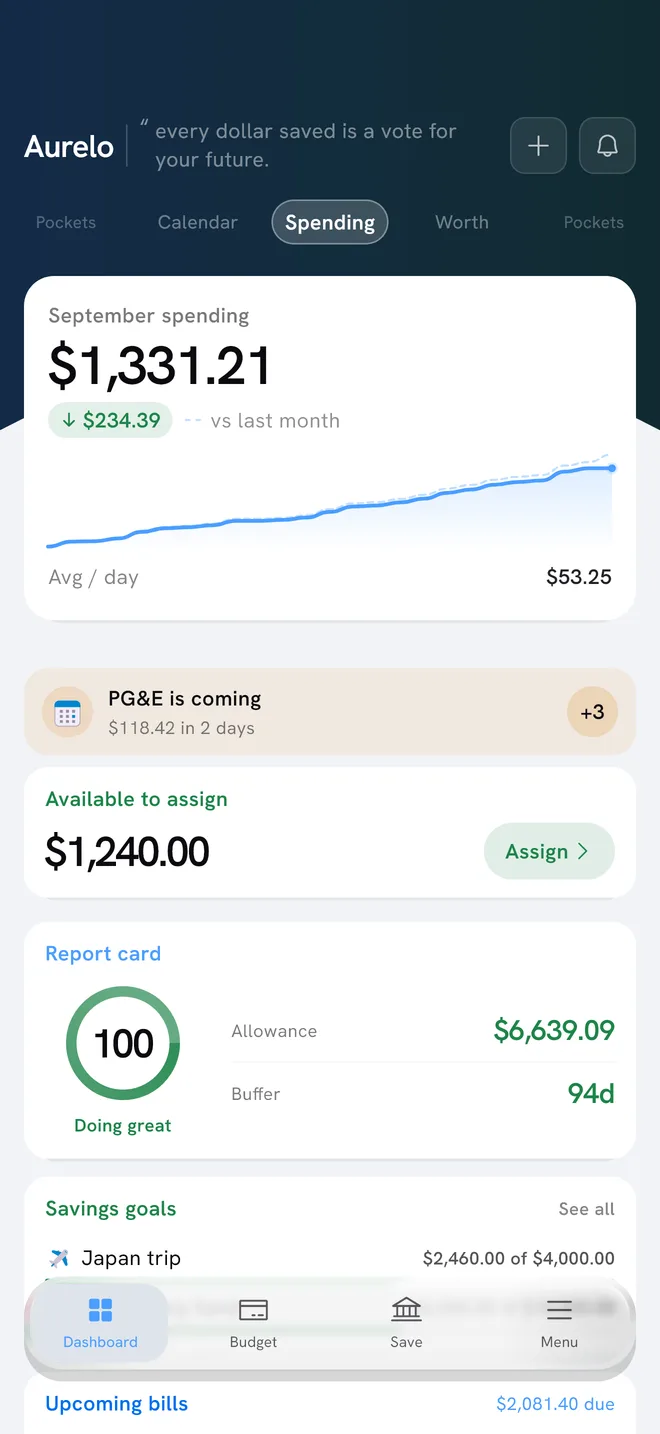
In Aurelo: Aurelo detects recurring bills from your transactions and shows what’s due and when. It only lists a bill it’s confident about, so you won’t see guesses. Yearly bills can go in Annual Pockets, which set aside a bit each month.
Step 2: Put your bills on a calendar
A list tells you what you owe. A calendar tells you when, and that’s where most problems hide.
Take your list and put each due date on a monthly calendar. Then add your paydays. Now look at the gaps. In the example above, rent is due on the 1st and the credit card on the 25th. If you’re paid on the 15th and the last business day of the month, the stretch between the 15th and the 25th has to cover electricity, phone, internet and the card payment from one paycheck.
A calendar makes that visible at a glance. It also helps you spot:
- Clusters, where several bills fall within a few days of each other.
- Long gaps before the next paycheck, where your balance runs lowest.
- Bills that come out before payday and need money from the previous check.
Some people use a paper calendar on the fridge, others a shared digital calendar with a reminder two or three days before each due date. The format matters less than the habit: look at it once a week, at the same time, and update it when anything changes.
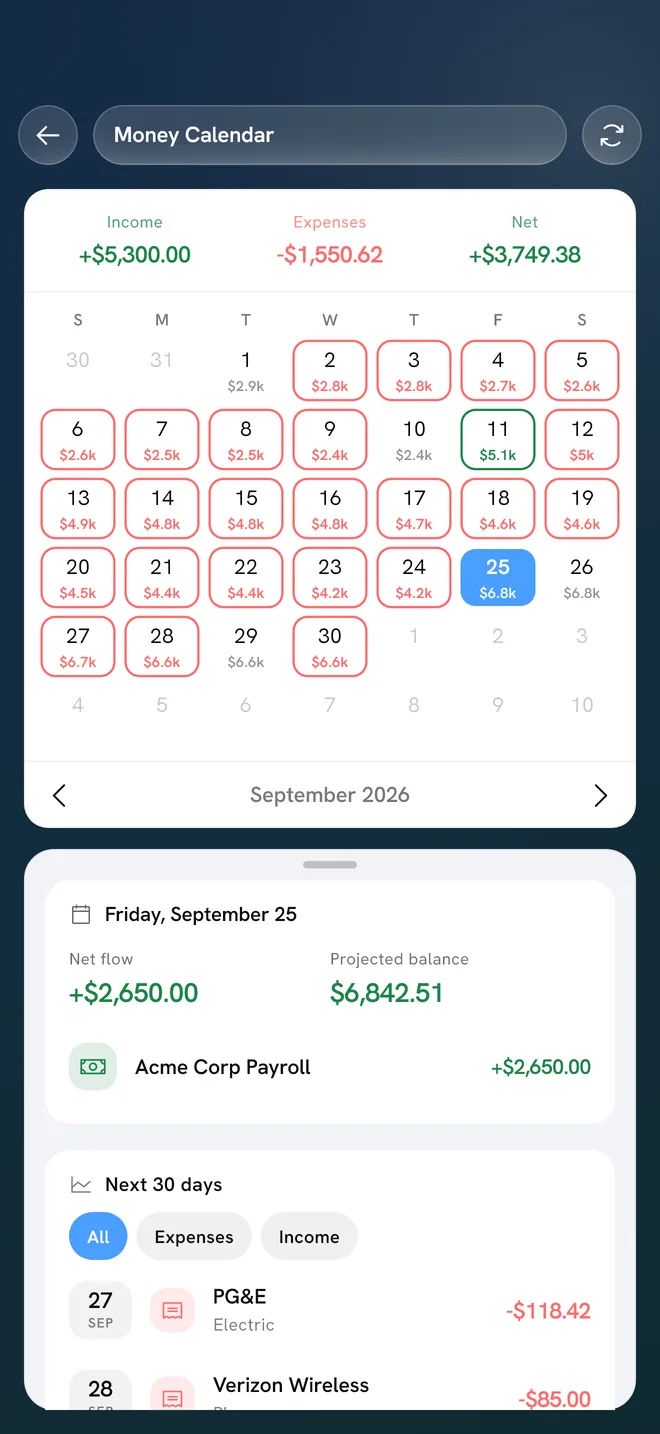
In Aurelo: The Money Calendar shows your month with income, bills and the projected balance for each day, plus a “next 30 days” list. It’s free on every plan, and it makes the tight days easy to find before you reach them.
Step 3: Decide what to automate
Autopay is one of the simplest ways to stop missing payments. The Consumer Financial Protection Bureau notes that automatic payments can help you avoid late fees, but also warns that if your balance is too low when a payment is due, you may face overdraft or nonsufficient funds fees, and both the bank and the company might charge you.2 So autopay trades one risk for another. It’s worth deciding bill by bill.
Autopay tends to work well for:
- Fixed bills that are the same every month, such as a loan or insurance premium.
- Bills paid from an account that always has a comfortable cushion.
- Credit cards, where setting at least the minimum on autopay can act as a safety net even if you usually pay the full balance by hand.
Manual payment or a reminder may suit you better for:
- Bills that vary a lot, where a surprisingly large charge could drain your account.
- Times when your balance often runs close to zero before payday.
- Bills you want to review before paying, to catch errors or price changes.
If a company’s automatic charge will be different from what you authorized, the CFPB says it must tell you at least 10 days before the payment.2 Read those notices. They’re often the first sign of a price increase.
Whatever you automate, keep it on your calendar. Autopay removes the job of paying, not the job of making sure the money is there. A simple rule: check your checking balance a couple of days before each large automatic payment. If the balance tends to run low, see how to avoid overdraft fees for more ways to build in a margin.
Step 4: Line up due dates with paydays
Once your calendar shows where the crunch points are, you can often move them. Many credit card issuers, utilities, phone carriers and lenders let you choose or change your due date. Ask by phone or in your online account. The change can take a billing cycle to kick in, so keep paying on the old schedule until your statement shows the new date.
A few approaches that work well:
- Put big bills just after payday. If rent is due on the 1st and you’re paid on the last business day of the month, you’re covered. If you’re paid on the 5th, rent is due before the money arrives, and you need a cushion from the previous check.
- Split bills between paychecks. If you’re paid twice a month or every two weeks, assign each bill to one paycheck so each check covers about half. Budgeting on a biweekly paycheck goes deeper on this.
- Spread out the clusters. If four bills fall in the same week, moving one or two by a few days can take pressure off.
- Keep one date for card payments. If you have more than one card, having the due dates close together makes them easier to track in one sitting.
You don’t need every bill perfectly aligned. The goal is simply that no bill is due before the money for it has arrived.
In Aurelo: Today’s Allowance subtracts the bills due before your next payday from your checking balance, along with what your pockets still need, so the money for those bills isn’t mistaken for spending money. Smart Fill covers the bills due before payday first when it proposes amounts.
Keep it running with a weekly check
A bill system only works if it stays current. Set a recurring 10-minute slot each week, the same day and time, and go through three questions:
- What’s due in the next 7 to 10 days? Confirm the money is there.
- Did anything change? A new subscription, a price increase, a bill that ended.
- Did anything get paid twice or not at all? Check the last week of transactions against the list.
Once a year, go through the whole list line by line. Look at each bill and decide whether you still want it at the current price. That’s a good moment to shop around for insurance or call about a rate, if you choose to.
If you’re paying with credit cards
Paying bills with a card can simplify things, since many bills become one payment. It also adds a step: the card payment itself is now a bill. Treat each bill you charge as spending the day it posts, set the money aside, and count the card payment as a transfer rather than new spending. Budgeting with credit cards explains the method in full.
Where to start tonight
If this feels like a lot, start small. Pull up your last statement, list every bill you can find, and put the due dates on a calendar next to your paydays. That alone will show you where the tight spots are. Automation and moving due dates can come next week.
In Aurelo: Connect your checking and cards through Plaid (read-only), and Aurelo reads your last six months of transactions, finds your recurring bills, and shows them alongside your paydays on the Money Calendar. You pay your bills yourself, as you do now; Aurelo helps you see them coming.
Common questions
What is the easiest way to keep track of monthly bills?
Keep a single list of every bill with its amount and due date, then put those dates on a calendar next to your paydays. Review it once a week for a few minutes, and update it the moment a bill starts, stops or changes price.
Should I put all my bills on autopay?
Autopay works best for fixed bills that come out of an account you keep well funded. For bills that change a lot, or if your balance often runs close to zero, paying manually or setting a reminder can give you more control over timing.
Can I change the due date of a bill?
Often, yes. Many credit card issuers, utilities, phone carriers and lenders let you choose or change a due date if you ask. It may take a billing cycle to take effect, so keep paying on the old date until the new one shows on your statement.
How do I organize bills when I get paid every two weeks?
Split your bills into two groups, one paid from each paycheck, so each check covers roughly half. Put the biggest bill, usually rent, against whichever check arrives first before it's due.
Sources
- CFPB Report Finds Credit Card Companies Charged Consumers Record-High $130 Billion in Interest and Fees in 2022 , Consumer Financial Protection Bureau, 2023
- How do automatic payments from a bank account work? , Consumer Financial Protection Bureau
Written by the Aurelo team. We build Aurelo, a budgeting app that reads your accounts read-only and never moves your money. Every claim about the app is checked against the app itself, and every figure links to its source. This is general education, not financial, tax or legal advice.